# Always say what we try to accomplish
- Published: 2020-06-22
- URL: https://notes.webutvikling.org/github-clickup-integration
- Tags: management, ClickUp, Github
A good leaders repeats why and what we try to accomplish. So should issue trackers and code tools. Here's a short guide on integrating ClickUp with GitHub, so exactly that becomes simpler.
A small guide on how to use ClickUps integration with Github.
But first, let's do three quick questions:
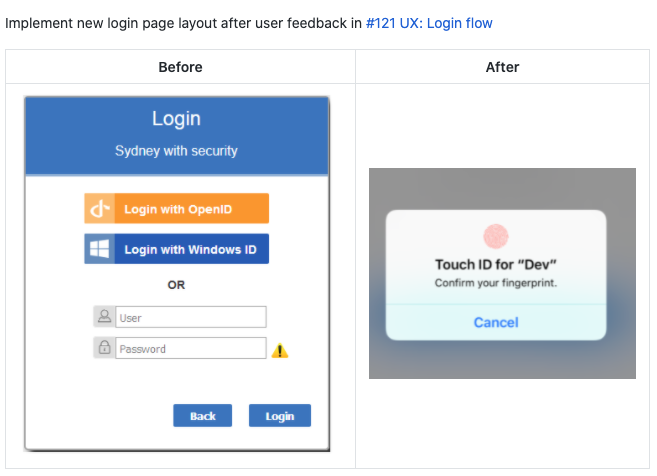
Why do I write Pull request texts?
So team mates can understand what I try to accomplish, and why.
A good text saves them time by giving them an overview and justification quick.
It probably saves me time too – since there will be less questions.
Bonus: It might come in handy next time you'll need to do something similar
(or exactly the same for a different project).
Why do I write git commit texts?
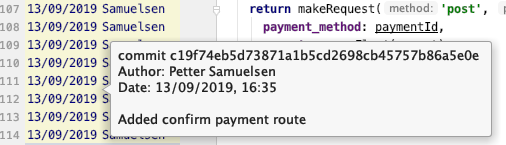
So team mates (and my future self) can understand what I tried to accomplish.
A good text saves the future team time: the question _Why would you X?_ can be answered quickly.
Why do we track issues in an Issue tracker?
So the team can discuss what we try to accomplish.
Why we should do them, what should we do first, or any justification for non-obvious choices.
An issue tracker can simplify communication between the team, by making it async, and having a record of it.
#### Similarities:
Both commit messages, pull request texts and issue trackers info are more or less talking about the same things:
- What they want to accomplish
- What justification there might be for doing this
- What some concerns might be and how to fix them.
They're not identical, but they're definitely super useful to each other:
PRs are easier when you can read the commit messages. Similarly, they're easier when you can read the issue tracker.
So I like referencing my issue in the issue tracker from my git commits, or/and PRs.
It's a super quick and efficient way to provide useful context.
## Referencing the issue
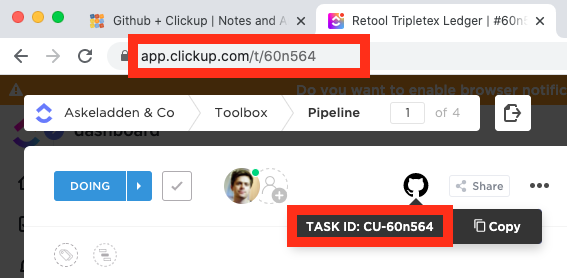
The ID can be found via URL or with the Github icon in Clickup.
In can be referenced from a commit, a branch name or a pull request title by adding
`#60n564`
### In the commit
```
#60n564 API: Added GET method for /users/
```
The upside of referencing the issue in each commit is that any future git blame
leads quickly to the issue tracker.
If you have tried committing with `#`, you have probably noticed
that it is the default comment character in git.
You can change this character with the following command:
```bash
git config --global core.commentchar ";"
```
### As a branch
If you prefer not having it in the commit, you could add the issue number anywhere in the branch name.
```
git checkout -b feat/#60n564/api-add-users
```
### In the PR title
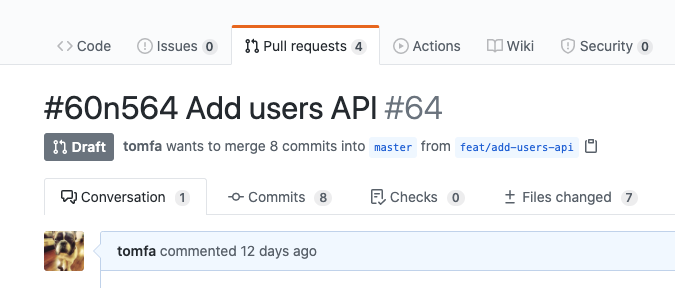
If you've forgot to reference the issue in the branch or commit messages, it's not too late.
Just prepend it to your Pull request title.
## Auto-linking
Clickup will automatically update the pull request and the ticket in ClickUp
when you do this. It _might take 10+ minutes_, but the Github PR will get a
comment from you (by ClickUp):

It will also add a reference to the PR from the ClickUp ticket:
